
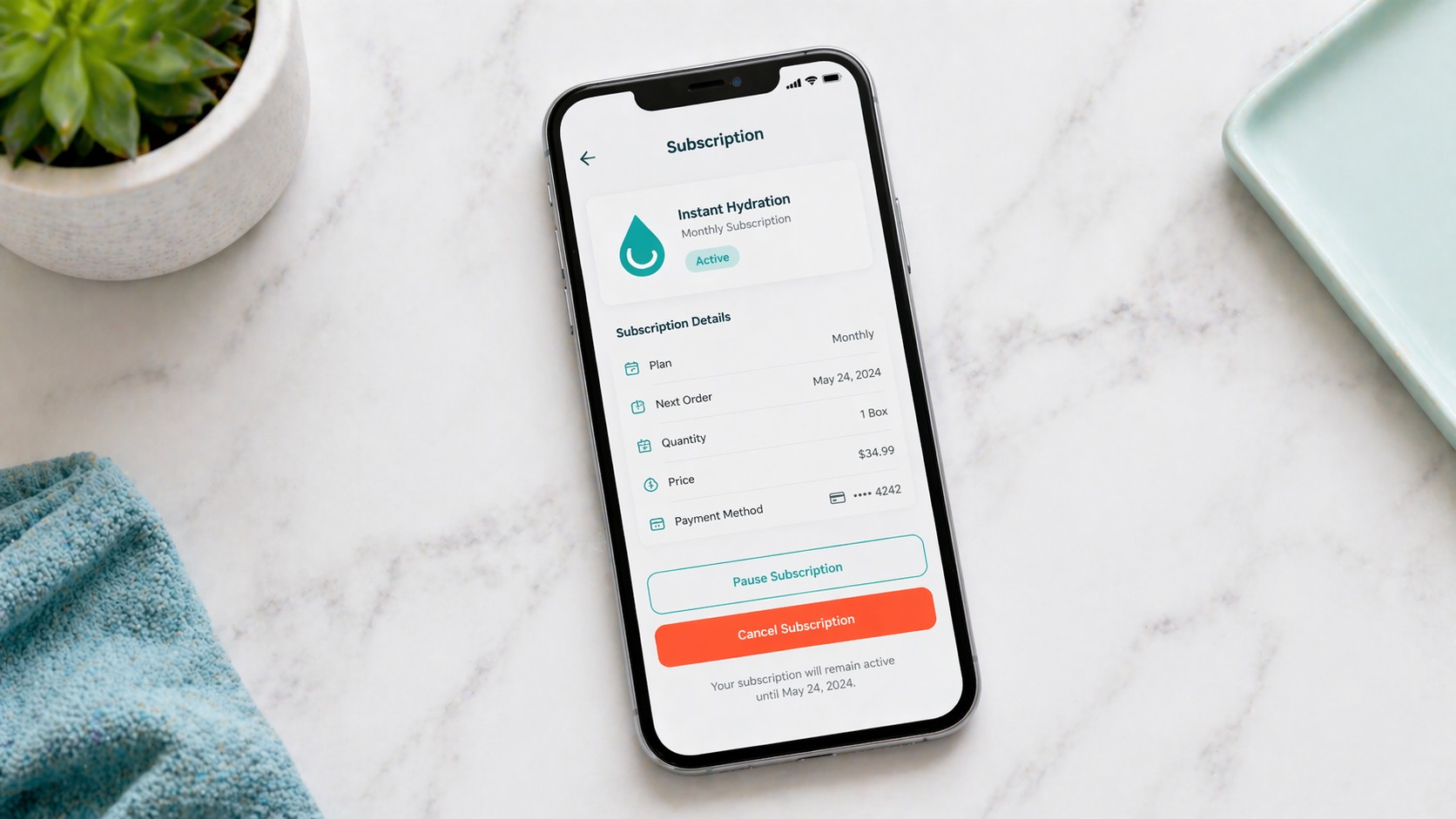
Quick answer: You can cancel your Instant Hydration subscription online in about 5 minutes: log in to your account at instanthydration.com, go to Account → Subscriptions, click Manage next to your active subscription, click Cancel Subscription, confirm by selecting a reason, and save the confirmation email. No cancellation fees. You keep any shipments that already processed. If you have trouble with the online flow, call customer service at the number in your confirmation email.
Table Of Content
- 5-Step Cancellation Walkthrough
- Step 1: Log in to your Instant Hydration account
- Step 2: Navigate to your Subscriptions page
- Step 3: Click “Manage” next to the active subscription
- Step 4: Click “Cancel Subscription”
- Step 5: Confirm cancellation
- How to Pause Instead of Cancel
- How to Get a Refund on Your Last Shipment
- What Happens After You Cancel
- Common Cancellation Issues + Fixes
- “I canceled but was charged again”
- “The Cancel button doesn’t appear”
- “The website is asking me to call customer service”
- “I’m still getting emails after canceling”
- “I want to cancel but keep my free shipping”
- Alternative Brands If You’re Leaving
- Frequently Asked Questions
- How do I cancel my Instant Hydration subscription?
- Can I cancel Instant Hydration online?
- Does Instant Hydration charge a cancellation fee?
- Will I get a refund if I cancel?
- How do I pause instead of cancel?
- Why is Instant Hydration charging me after I canceled?
- How do I contact Instant Hydration customer service?
- Related
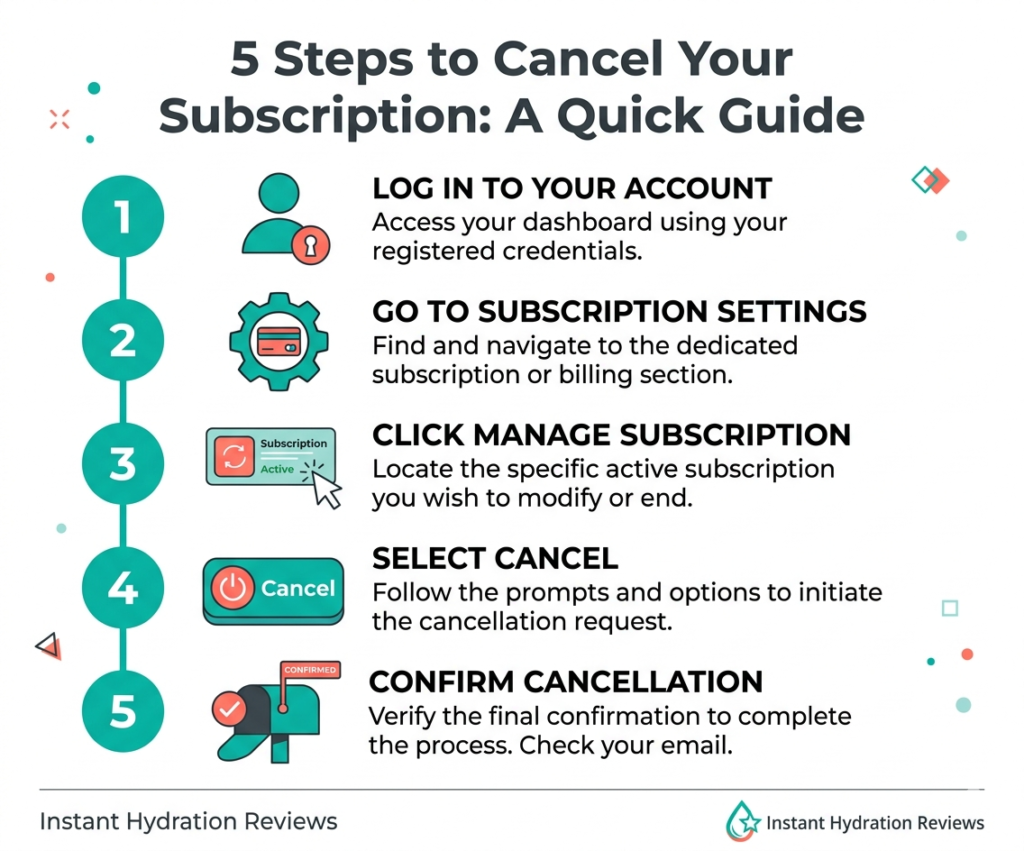
5-Step Cancellation Walkthrough
Step 1: Log in to your Instant Hydration account
Go to instanthydration.com and click Account (top right). Sign in with the email you used to subscribe. If you’ve forgotten your password, use the reset link — confirmations usually arrive in 2–3 minutes.
Step 2: Navigate to your Subscriptions page
From the account dashboard, click Subscriptions (or Manage Subscriptions depending on the interface version). You’ll see all active and paused subscriptions.
Step 3: Click “Manage” next to the active subscription
Find the active subscription (not paused, not canceled). Click the Manage button to open the subscription detail page.
Step 4: Click “Cancel Subscription”
Scroll to the bottom of the subscription management page. Click Cancel Subscription. You’ll be prompted to select a reason (you can choose any — pricing, quantity, trying something different, health reasons, etc.).
Note: Before finalizing cancellation, Instant Hydration typically shows a retention offer (15% off to stay, extended free shipping, etc.). If you genuinely want to cancel, decline the offer and continue.
Step 5: Confirm cancellation
Click through the confirmation screens. You’ll receive a cancellation confirmation email within 10 minutes. Save this email. It’s your proof of cancellation if any future charges appear.
How to Pause Instead of Cancel
If you just want a break — not a full cancellation — use the Pause option instead. Located on the same subscription management page, Pause lets you:
- Skip the next 1, 2, or 3 shipments
- Resume automatically at your chosen date
- Avoid the full-signup process again later
Many users who think they want to cancel actually just want to pause. If you’re mostly happy with the product but have too many packets right now, Pause is the better option.
How to Get a Refund on Your Last Shipment
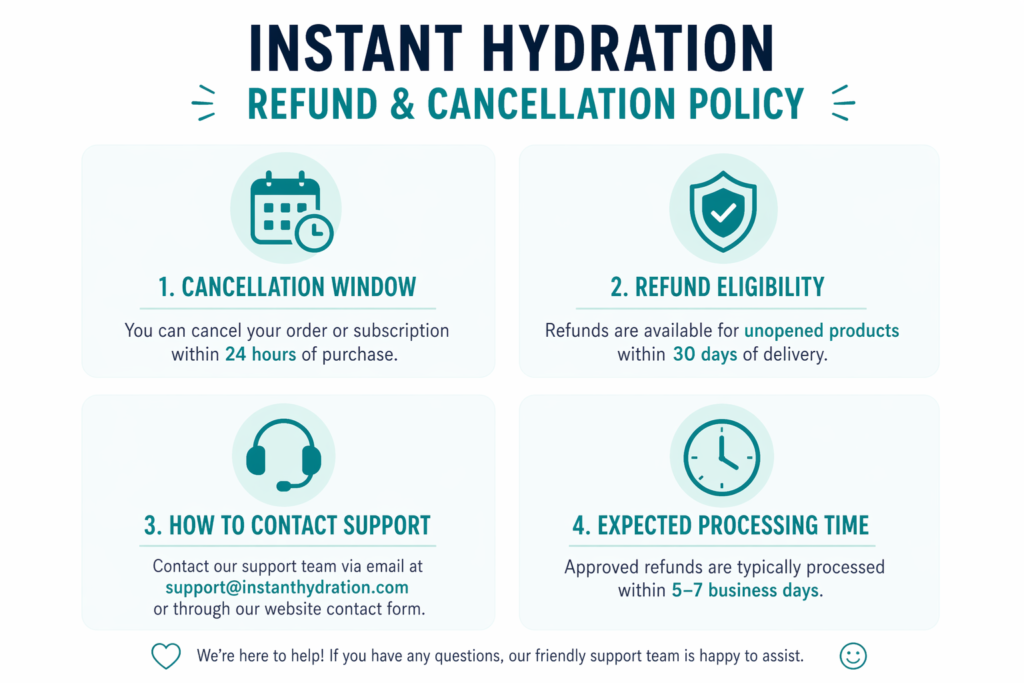
If your shipment has already been processed but hasn’t shipped yet, customer service may be able to cancel it. Contact them within 24 hours of the charge for the best shot.
If the shipment has already shipped, most subscription boxes don’t refund — but Instant Hydration’s policy as of 2026 allows you to return unopened boxes within 30 days for a refund (minus shipping).
To request a refund:
- Email [email protected] (or the current support address listed on their site)
- Include your order number and reason for the return
- Wait for a return authorization (RMA) — 1–2 business days
- Ship the product back using the provided label
- Refund processes in 5–10 business days after they receive the return
What Happens After You Cancel
- You keep any shipments that have already shipped
- You keep access to your account (order history, saved addresses)
- Your subscription stops renewing immediately
- You can resubscribe anytime — your account stays active
- You’ll get emails about re-subscribing (you can unsubscribe from these separately via email preferences)
Common Cancellation Issues + Fixes
“I canceled but was charged again”
Most common cause: cancellation was initiated after the next order had already entered processing. Subscriptions typically lock in 2–3 days before the renewal date. Solution: contact support with your cancellation confirmation email, they should refund the unshipped order.
“The Cancel button doesn’t appear”
Usually a browser issue. Try:
- Different browser (Chrome, Firefox, Safari)
- Incognito/private mode
- Desktop instead of mobile
- Clear cookies for instanthydration.com
“The website is asking me to call customer service”
Some legacy accounts require phone cancellation. Call during business hours, typically 9 AM – 5 PM Eastern. Have your order number ready. Cancellation by phone takes 5–10 minutes.
“I’m still getting emails after canceling”
Subscription status and marketing email preferences are separate. To stop marketing emails, click Unsubscribe at the bottom of any email, or update your preferences in Account → Email Preferences.
“I want to cancel but keep my free shipping”
Not possible — free shipping is tied to active subscriptions.
Alternative Brands If You’re Leaving
If the reason you’re canceling is the product itself (not cost or quantity), here are our recommended alternatives:
- Want lower cost? → Drip Drop at $1.25/serving or Liquid IV at Costco
- Want higher sodium (keto, endurance)? → LMNT
- Want plant-based/coconut water base? → Cure Hydration
- Want clean-label with shorter ingredient list? → Just Ingredients
- Want medical-grade for illness? → Pedialyte or Drip Drop
If you want to stay with Instant Hydration but at a lower cost, see our coupon codes page for active deals.
Frequently Asked Questions
How do I cancel my Instant Hydration subscription?
Log in to instanthydration.com, go to Account → Subscriptions, click Manage, then Cancel Subscription. Confirm with a reason, save the confirmation email. Takes about 5 minutes.
Can I cancel Instant Hydration online?
Yes. Most accounts can cancel entirely online through the account dashboard. Some legacy accounts require a phone call to customer service.
Does Instant Hydration charge a cancellation fee?
No. There are no cancellation fees. You don’t pay anything to cancel.
Will I get a refund if I cancel?
You keep any orders that have already shipped. Orders that have been charged but not yet shipped can usually be refunded if you contact support within 24 hours. Unopened boxes can be returned within 30 days for a refund (minus shipping).
How do I pause instead of cancel?
On the subscription management page, choose Pause instead of Cancel. You can skip 1–3 shipments and the subscription resumes automatically at your chosen date.
Why is Instant Hydration charging me after I canceled?
Most likely the cancellation happened after the next order entered processing (2–3 days before renewal). Contact support with your cancellation confirmation email to request a refund on the unshipped order.
How do I contact Instant Hydration customer service?
Email [email protected] (check the current address on their contact page) or use the chat feature on instanthydration.com. Phone support is available during business hours — the number is in your original order confirmation email.
Related
- Instant Hydration reviews 2026
- Best electrolyte drinks 2026 — if switching brands
- Instant Hydration coupon codes — if staying
- Instant Hydration vs Drip Drop (cheaper alternative)
Last updated: April 2026. Subscription cancellation flows can change — if this guide no longer matches what you see, contact us so we can update it.